
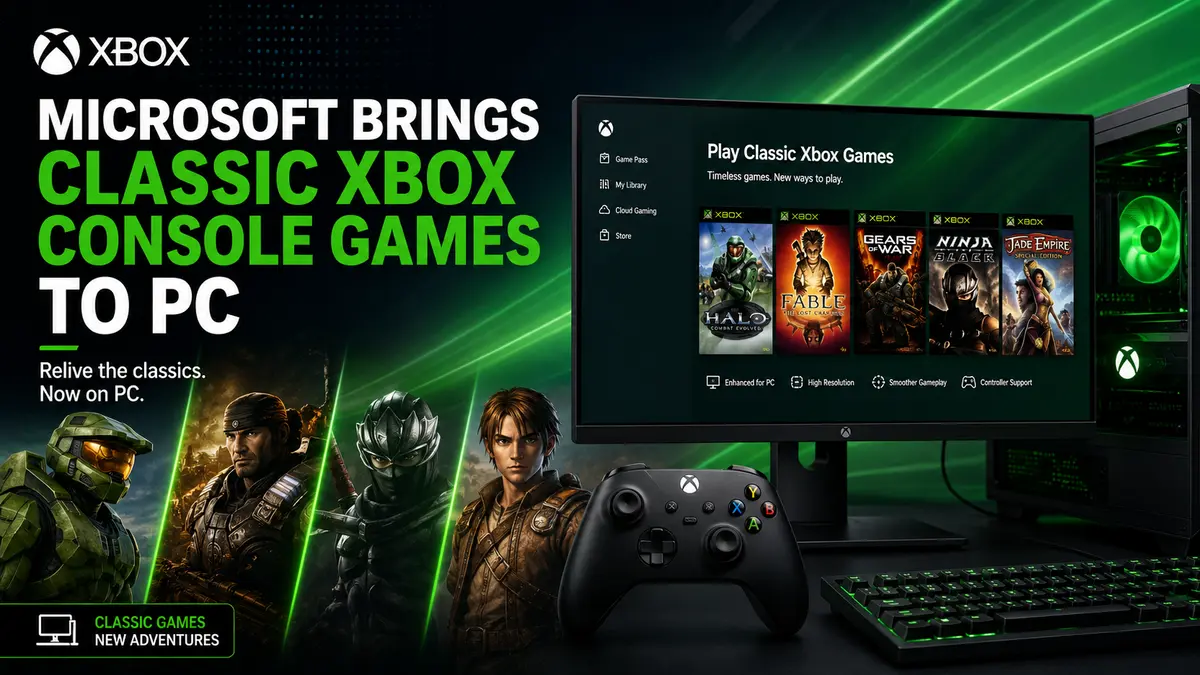
Microsoft Brings Classic Xbox Console Games to PCs Now
Microsoft brings classic Xbox console games to PC through a new backward compatibility initiative that allows select original Xbox and Xbox 360 titles to run on modern Windows devices. The new preview aims to preserve gaming history while giving players easier access to older Xbox console games without requiring the original hardware.
Microsoft has taken another major step toward game preservation by expanding the reach of classic Xbox titles beyond consoles. The company has introduced a new backward compatibility preview that enables supported Xbox console games to run on Windows PCs, signaling a broader vision where Xbox console games can be played across multiple devices rather than being tied to a single console generation.
The announcement represents one of Microsoft’s most ambitious efforts yet to unify the Xbox ecosystem. Instead of limiting classic titles to Xbox consoles, Microsoft is making them accessible to more players while also ensuring that decades of gaming history remain playable on modern hardware.
What Microsoft Announced?
Microsoft has unveiled a new preview program focused on bringing classic Xbox console games to Windows PCs. The initiative builds on years of backward compatibility work that began with Xbox One and later expanded to Xbox Series X and Series S.
The new technology allows selected games from earlier Xbox generations to run on modern PCs without requiring the original console hardware. While the preview currently supports a limited number of titles, Microsoft has indicated that additional games will be evaluated over time.
This initiative reflects Microsoft’s broader strategy of treating Xbox as a gaming platform rather than simply a console. Whether someone plays on an Xbox console, a gaming PC, a handheld device, or through cloud gaming, Microsoft wants players to access their library more easily.
Why This Is a Big Deal for Xbox Players?
For years, many classic Xbox console games have remained locked to aging hardware. Original Xbox consoles and Xbox 360 systems are becoming increasingly difficult to maintain, making game preservation an important issue.
The new compatibility preview offers several benefits:
- Preserves older Xbox titles for future generations.
- Eliminates the need to own legacy console hardware.
- Expands access to games on modern Windows PCs.
- Improves long-term availability of digital game libraries.
- Supports Microsoft’s vision of a unified gaming ecosystem.
Instead of treating each console generation as a separate platform, Microsoft continues moving toward an ecosystem where purchased games remain playable across multiple generations and devices.
How the New Backward Compatibility System Works?
Unlike traditional PC ports, Microsoft’s compatibility technology allows classic Xbox console games to operate within a specialized software environment designed to reproduce the behavior of older Xbox hardware.
This approach means developers do not necessarily need to rebuild every game from scratch.
The compatibility layer is designed to:
| Feature | Benefit |
|---|---|
| Hardware translation | Allows older console code to work on modern processors |
| Graphics compatibility | Preserves original visuals while supporting newer GPUs |
| Controller support | Enables Xbox controllers to work naturally |
| Save compatibility | Potentially supports existing save data where available |
| Performance improvements | Reduces loading times on modern SSDs |
Although not every game will function identically, Microsoft’s technology aims to maintain gameplay authenticity while taking advantage of modern hardware improvements.
Which Xbox Console Games Are Included?
At launch, Microsoft is focusing on a carefully selected group of supported titles rather than opening compatibility for the entire Xbox catalog.
Games are chosen based on several factors, including:
- Technical compatibility
- Licensing agreements
- Publisher approvals
- Performance testing
- Stability on Windows
Some games may require additional work before they become available, especially if music licenses, online services, or third-party technologies complicate compatibility.
Microsoft has historically expanded backward compatibility in stages, so the supported library is expected to grow over time.
Original Xbox vs Xbox 360 Compatibility
Not all classic Xbox console games present the same technical challenges.
Original Xbox Console Games
The first-generation Xbox used hardware architecture that differs significantly from today’s PCs. Some games require deeper emulation to function properly.
Xbox 360 Games
Xbox 360 titles are generally more compatible with Microsoft’s existing backward compatibility technologies because the company has spent years refining these systems for Xbox One and Xbox Series consoles.
As a result, Xbox 360 titles may become available faster than many original Xbox console games.
Performance Improvements on Modern PCs
One advantage of running classic games on modern hardware is improved overall performance.
Players may notice:
- Faster loading times
- More stable frame rates
- Reduced input latency
- Better compatibility with modern displays
- Improved controller responsiveness
Some titles could also benefit from automatic enhancements already available through Windows graphics technologies.
However, Microsoft is prioritizing gameplay accuracy over altering the original experience. The goal is to preserve how the games originally played while removing hardware limitations.
What This Means for Xbox Game Preservation
Game preservation has become an increasingly important topic across the gaming industry.
Many older games become inaccessible because:
- Physical discs deteriorate.
- Console hardware fails.
- Digital storefronts close.
- Licensing agreements expire.
By investing in backward compatibility, Microsoft helps ensure that important games remain playable long after their original hardware becomes obsolete.
This strategy benefits not only players but also developers and historians who want classic games to remain available for future generations.
How This Fits Microsoft’s Xbox Strategy
Microsoft has gradually transformed Xbox from a console business into a broader gaming ecosystem.
Today’s Xbox platform includes:
- Xbox Series X
- Xbox Series S
- Windows gaming PCs
- Xbox Cloud Gaming
- Xbox Game Pass
- Portable gaming devices
Adding classic console games to Windows strengthens this ecosystem by allowing players to access more of Xbox’s history regardless of which device they use.
This platform-first strategy differs from the traditional model in which each console generation starts over with a new library.
Will More Games Be Added?
Although Microsoft has not promised compatibility for every Xbox title ever released, history suggests that additional games will continue arriving over time.
Future expansion depends on several factors:
Licensing
Some games include licensed music, brands, or intellectual property that require renewed agreements.
Publisher Participation
Third-party publishers may need to approve compatibility releases.
Technical Testing
Every title undergoes performance, stability, and compatibility testing before release.
Community Demand
Microsoft has often considered player feedback when selecting backward-compatible games.
Challenges Microsoft Still Faces
Despite the excitement, expanding backward compatibility is not without obstacles.
Licensing Restrictions
Older games often contain licensed content that cannot legally be redistributed without new agreements.
Hardware Differences
Certain games relied on hardware-specific behaviors that are difficult to replicate perfectly.
Online Features
Multiplayer servers for many classic games have already been shut down, meaning some online functionality cannot be restored.
Publisher Rights
Some studios have closed or changed ownership, making legal approvals more complicated.
These factors explain why every Xbox game cannot automatically become compatible overnight.
How This Compares With Sony and Nintendo?
Microsoft has consistently invested more heavily in backward compatibility than many competitors.
| Company | Backward Compatibility Approach |
|---|---|
| Microsoft | Extensive support across multiple Xbox generations |
| Sony | Supports selected PlayStation generations with varying availability |
| Nintendo | Offers classic games primarily through subscription libraries |
Microsoft’s approach focuses on preserving purchased games, while competitors often emphasize subscription access or selective re-releases.
Why PC Gamers Should Pay Attention?
Even players who have never owned an Xbox console may benefit.
Classic Xbox exclusives contain many influential games that helped shape modern action, racing, RPG, and shooter genres.
Running these titles on Windows allows PC gamers to experience historically important games without purchasing older hardware or searching for rare physical copies.
This could also introduce younger players to franchises that originally debuted decades ago.
What Could Come Next?
The preview may represent only the beginning of Microsoft’s broader compatibility ambitions.
Industry observers expect Microsoft to continue exploring:
- Larger compatibility libraries
- Better handheld gaming support
- Cloud-based access to classic games
- Expanded digital ownership across devices
- AI-assisted compatibility improvements
- Enhanced preservation technologies
If successful, Microsoft’s work could become one of the largest game preservation projects ever undertaken by a console manufacturer.
Also read: Windows 11 July 2026 Update: New Features and Fixes
Frequently Asked Questions
1. What does Microsoft bringing classic Xbox console games to PC mean?
It means Microsoft is allowing selected original Xbox and Xbox 360 games to run on modern Windows PCs through a backward compatibility system instead of requiring the original console hardware.
2. Will every Xbox game become playable on PC?
No. Only supported titles are currently included. Future additions will depend on licensing, technical compatibility, publisher approvals, and testing.
3. Do I need an Xbox console to play these games?
The new preview is designed to let supported games run directly on compatible Windows PCs, reducing the need for original Xbox hardware.
4. Will classic Xbox console games look better on modern PCs?
Many games can benefit from faster hardware, quicker loading times, and smoother performance while still preserving their original gameplay experience.
5. Does this replace Xbox Cloud Gaming?
No. This initiative is separate from cloud streaming. It focuses on running compatible classic Xbox games locally on supported Windows devices.
6. Why aren’t all Xbox console games backward compatible?
Some titles face licensing issues, technical limitations, discontinued online services, or publisher rights complications that prevent immediate compatibility.
7. Can Xbox save files be transferred?
Save compatibility depends on the specific game and Microsoft’s implementation. Not every title will support transferring existing save data.
8. Why is game preservation important?
Preserving games ensures that important titles remain playable even after older consoles become obsolete, helping protect gaming history for future players and developers.
Final Thoughts
Microsoft’s latest backward compatibility preview marks another important milestone in its long-term vision for Xbox. By bringing classic Xbox console games to Windows PCs, the company is making older titles more accessible while helping preserve gaming history for future generations.
Although the current preview supports only a limited selection of games, the technology lays the foundation for a much broader library over time. If Microsoft continues expanding compatibility, Xbox players may eventually enjoy one of the most comprehensive collections of classic console games available on modern hardware.
More Official details: Play More of the Games You Love, Wherever You Play on PC


