
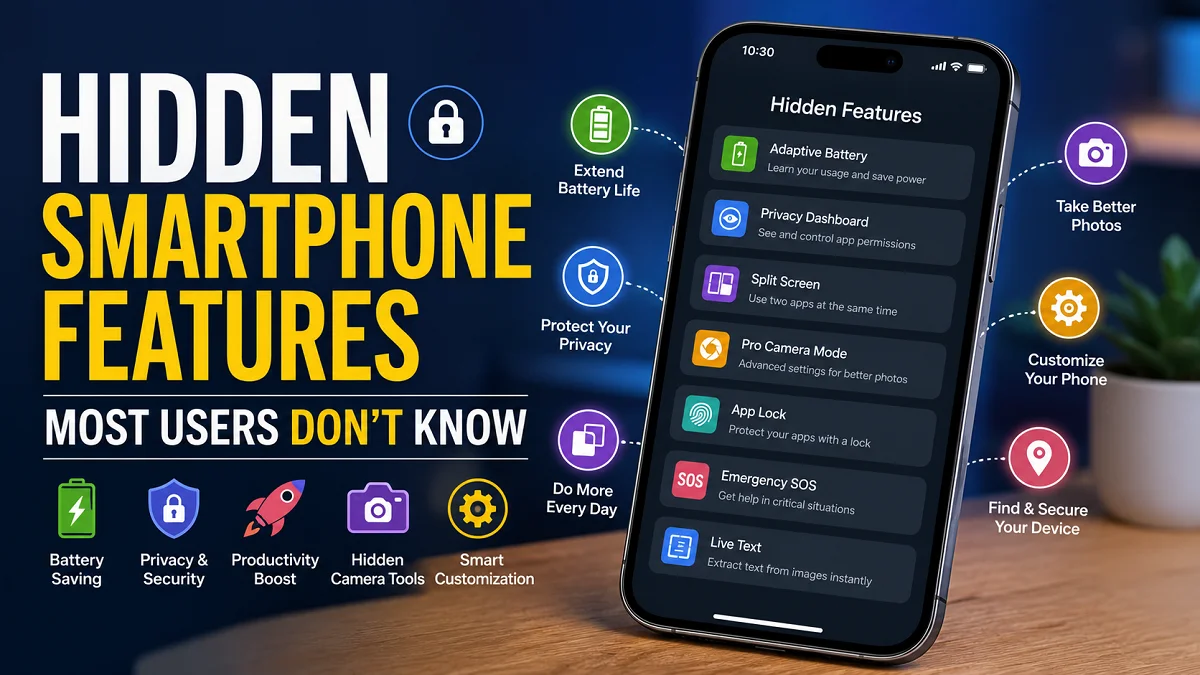
Hidden Smartphone Features Most Users Don’t Know
Hidden Smartphone Features: Smartphones have become an essential part of our daily lives. We use them for communication, work, entertainment, navigation, banking, shopping, photography, and much more. Yet, despite spending hours with our devices every day, most of us only scratch the surface of what they can actually do.
Modern Android phones and iPhones include dozens of powerful tools that remain hidden inside settings menus or are rarely promoted by manufacturers. These hidden smartphone features can save time, improve security, boost productivity, extend battery life, and make everyday tasks significantly easier.
Whether we own a flagship device or a budget smartphone, there are many built-in capabilities waiting to be discovered. In this guide, we will explore the most useful hidden smartphone features, explain how they work, identify who should use them, and share practical tips that can improve the overall smartphone experience.
Why Hidden Smartphone Features Matter?
Many smartphone manufacturers focus their marketing on cameras, processors, displays, and AI capabilities. However, some of the most valuable features are quietly built into the operating system and receive little attention.

These hidden tools help us:
- Protect personal information
- Improve battery efficiency
- Work more efficiently
- Capture better photos
- Reduce distractions
- Increase accessibility
- Customize our devices
- Automate repetitive tasks
- Recover lost phones
- Improve privacy
Learning these features allows us to get much more value from devices we already own.
Battery-Saving Hidden Smartphone Features
Battery life remains one of the biggest concerns for smartphone users. Fortunately, modern smartphones include several intelligent battery management tools.
Adaptive Battery
Adaptive Battery studies how we use our phone and limits background activity for apps that we rarely open.
Benefits include:
- Longer battery life
- Reduced background processing
- Lower power consumption
- Better standby performance
This feature becomes more effective after several days because it gradually learns our habits.
Battery Health Monitoring
Many users never check battery health until problems appear.
Battery health tools allow us to:
- Monitor battery capacity
- Detect battery aging
- Identify charging problems
- Decide when battery replacement is necessary
Knowing battery health helps prevent unexpected shutdowns and poor performance.
Charging Optimization
Modern smartphones include intelligent charging systems.
Instead of charging to 100% immediately, optimized charging slows the final stage until we are ready to use the phone.
Advantages include:
- Reduced battery wear
- Longer battery lifespan
- Better long-term performance
Background App Restrictions
Many applications continue working even when we are not using them.
Restricting background activity:
- Conserves battery
- Saves mobile data
- Improves system speed
- Reduces unnecessary notifications
Hidden Smartphone Features That Improve Privacy
Privacy has become increasingly important as smartphones store our photos, passwords, banking information, documents, and personal conversations.
Privacy Dashboard
Many users never explore the Privacy Dashboard.
This feature shows:
- Which apps access the camera
- Which apps use the microphone
- Permission history
- Which apps track location
- Recently accessed data
This transparency helps identify suspicious app behavior.
Camera and Microphone Indicators
Whenever an application activates the camera or microphone, small indicator icons appear.
These indicators help users:
- Detect unauthorized access
- Improve privacy awareness
- Monitor application behavior
One-Time Permissions
Instead of permanently allowing location access, we can grant permission only once.
Advantages include:
- Better privacy
- Reduced tracking
- Greater control over sensitive information
Clipboard Protection
Many smartphones now notify users when an app reads copied text.
This protects sensitive information such as:
- Passwords
- Credit card numbers
- Verification codes
- Personal messages
Hidden Photo Folders
Most smartphones include secure folders or hidden albums.
These allow users to protect:
- Personal photos
- Confidential documents
- Identification images
- Financial records
Some devices even require biometric authentication before access.
Productivity Hidden Smartphone Features
Smartphones have become powerful productivity machines.
Many useful tools remain hidden within the operating system.
Split Screen Mode
Split Screen allows two apps to run simultaneously.
Examples include:
| Task | Apps |
| Research | Browser + Notes |
| Studying | PDF + Calculator |
| Shopping | Store + Messaging |
| Travel | Maps + Booking App |
| Work | Email + Spreadsheet |
This significantly improves multitasking.
Floating Windows
Some Android devices support floating applications.
These small windows allow users to:
- Watch videos
- Reply to messages
- Use calculators
- Check notes
without leaving the current application.
Text Extraction from Images
Modern smartphones can recognize text inside images.
This feature allows users to:
- Copy printed text
- Extract phone numbers
- Save addresses
- Translate documents
- Scan notes
It eliminates the need to manually type information.
Voice Typing
Voice recognition has improved dramatically.
Instead of typing long messages, users can dictate:
- Emails
- Notes
- Documents
- Search queries
This saves considerable time.
Quick Notes from Lock Screen
Some devices allow instant note-taking without unlocking.
Ideal for:
- Shopping lists
- Phone numbers
- Quick reminders
- Meeting notes
Hidden Smartphone Camera Features
Most users only use the default photo mode.
Modern smartphone cameras contain advanced professional tools.
Pro Camera Mode
Professional Mode provides manual control over:
- ISO
- White balance
- Focus
- Exposure
- Shutter speed
These controls help produce higher-quality photos.
RAW Image Capture
RAW files preserve far more image information than JPEG.
Benefits include:
- Better editing flexibility
- Improved color accuracy
- Greater dynamic range
- Higher image quality
This is especially useful for photography enthusiasts.
Grid Lines
Grid lines improve photo composition using the Rule of Thirds.
Advantages include:
- Better framing
- Balanced compositions
- Professional-looking photos
Motion Photos
Motion Photos capture a few seconds before and after taking a picture.
This allows users to:
- Choose the best frame
- Create short animations
- Capture unexpected moments
Document Scanner
Many smartphone cameras include hidden document scanning.
Features include:
- Automatic edge detection
- Perspective correction
- PDF export
- Improved readability
This removes the need for separate scanner apps.
Hidden Security Features
Security features often remain disabled by default.
Activating them provides significantly better protection.
Find My Device
If a smartphone is lost or stolen, users can:
- Locate it
- Lock it remotely
- Display contact information
- Erase personal data
This feature should always be enabled.
Emergency SOS
Emergency SOS can quickly contact emergency services and trusted contacts.
Many smartphones also:
- Share live location
- Record emergency information
- Notify family members
This feature could prove invaluable during emergencies.
App Lock
Some smartphones include built-in app locking.
Apps can require:
- Fingerprint
- Face recognition
- PIN
- Password
before opening.
This protects banking, messaging, and gallery applications.
Password Manager
Modern smartphones securely store:
- Passwords
- Login credentials
- Passkeys
- Credit card information
Using a built-in password manager improves both convenience and security.
Hidden Accessibility Features Everyone Can Use
Accessibility tools are valuable for every smartphone user, not only those with disabilities.
Live Captions
Live Caption automatically generates captions for:
- Videos
- Podcasts
- Voice messages
- Calls on supported devices
Perfect for noisy environments.
Magnifier
The built-in magnifier transforms the camera into a digital magnifying glass.
Useful for reading:
- Medicine labels
- Restaurant menus
- Serial numbers
- Fine print
Back Tap Shortcuts
Many smartphones support Back Tap gestures.
Double or triple tapping the back of the device can:
- Take screenshots
- Launch apps
- Open the camera
- Turn on the flashlight
- Activate shortcuts
One-Handed Mode
Large displays can be difficult to use.
One-Handed Mode reduces the active screen area for easier navigation.
Hidden Smartphone Features for Better Notifications
Notifications can quickly become overwhelming.
Several hidden tools make them easier to manage.
Notification History
Accidentally dismissed an important notification?
Notification History allows users to recover previously dismissed alerts.
Notification Categories
Applications often send multiple types of notifications.
Users can selectively disable:
- Promotions
- News
- Social updates
- Recommendations
while keeping important alerts active.
Focus Modes
Focus Mode helps reduce distractions by temporarily blocking selected apps.
Examples include:
- Work mode
- Study mode
- Sleep mode
- Driving mode
Hidden AI Features in Modern Smartphones
Artificial Intelligence is becoming deeply integrated into smartphones.
Many AI-powered tools remain largely unnoticed.
Smart Photo Editing
AI can automatically:
- Remove unwanted objects
- Improve lighting
- Reduce blur
- Enhance portraits
- Replace backgrounds on supported devices
Live Translation
Many smartphones now translate:
- Conversations
- Text
- Signs
- Menus
- Web pages
in real time.
Smart Call Screening
Some devices automatically:
- Identify spam
- Block robocalls
- Screen unknown callers
- Display caller information
This reduces interruptions and fraud.
Hidden Gesture Controls
Gesture controls make smartphones faster to use.
Common examples include:
- Swipe with three fingers for screenshots
- Double press power button for camera
- Flip phone to silence calls
- Lift to wake
- Double tap screen to lock
- Shake to undo actions on supported devices
These shortcuts reduce unnecessary taps and improve efficiency.
Hidden Storage Management Features
Running out of storage is a common frustration.
Built-in management tools help free up space.
Automatic Duplicate Detection
Many gallery apps automatically identify:
- Duplicate photos
- Similar screenshots
- Blurry images
Deleting these files can recover significant storage.
Smart Downloads Cleanup
Some smartphones automatically remove:
- Old downloads
- Temporary files
- Cached data
This keeps storage organized.
Large File Detection
Storage analyzers help identify:
- Large videos
- Forgotten downloads
- Offline media
- Unused files
Removing these items often frees several gigabytes.
Lesser-Known Connectivity Features
Connectivity tools often receive little attention but greatly improve convenience.
Wi-Fi QR Sharing
Instead of telling guests a long password, users can generate a QR code for instant Wi-Fi access.
Nearby File Sharing
Built-in sharing features allow large files to be transferred between nearby devices without cables or internet access.
This is ideal for:
- Photos
- Videos
- Documents
- Presentations
Personal Hotspot Controls
Advanced hotspot settings allow users to:
- Limit connected devices
- Set data limits
- Automatically disable the hotspot when inactive
This improves both security and battery life.
Hidden Customization Features
Customization allows smartphones to feel more personal and efficient.
Useful options include:
- Custom app icons
- Lock screen widgets
- Dynamic wallpapers
- Shortcut automation
- Home screen gestures
- Custom quick settings tiles
- Always-on display customization
- Theme scheduling
Small changes can dramatically improve the daily user experience.
Android vs iPhone Hidden Smartphone Features
| Feature | Android | iPhone |
| Split Screen | Yes (many devices) | Limited |
| App Lock | Available on many devices | Limited |
| Live Text | Yes | Yes |
| Document Scanner | Yes | Yes |
| Battery Health | Yes (many models) | Yes |
| Back Tap | Some devices | Yes |
| Focus Modes | Yes | Yes |
| Emergency SOS | Yes | Yes |
| Password Manager | Yes | Yes |
| Find Device | Yes | Yes |
Both platforms offer excellent hidden capabilities, although the implementation varies by manufacturer and operating system version.
Tips to Discover Even More Hidden Smartphone Features
Technology evolves rapidly, and new features are introduced with almost every software update. To stay ahead, we should actively explore our devices rather than using only the default settings.
Here are some practical ways to uncover additional capabilities:
- Review the Settings menu after every major operating system update.
- Use the search bar within Settings to quickly locate features by name.
- Explore built-in Tips or Help apps that explain newly added functions.
- Read update notes to learn about new privacy, security, and productivity tools.
- Experiment with gestures, accessibility options, and automation features.
- Keep apps and the operating system updated to access the latest improvements.
- Regularly audit permissions, storage, and battery settings for better performance.
A few minutes of exploration can reveal tools that save time every single day.
Frequently Asked Questions
Are hidden smartphone features available on every phone?
Not always. Availability depends on the device manufacturer, operating system version, and hardware capabilities. However, many core features such as privacy controls, document scanning, password management, and Focus Modes are widely available.
Do hidden features slow down a smartphone?
No. Most are built-in system functions designed to improve performance, security, or convenience. Some, such as adaptive battery management, can even make a device feel faster.
Are third-party apps required?
In most cases, no. Many useful tools are already included in Android and iOS, eliminating the need for extra apps.
Can hidden features improve battery life?
Yes. Features like Adaptive Battery, background app restrictions, optimized charging, and power-saving modes can noticeably extend battery life.
Is it safe to enable these features?
Yes. Since they are developed by the operating system or device manufacturer, they are generally safe to use when configured correctly.
Conclusion
Hidden smartphone features often provide more day-to-day value than headline-grabbing hardware upgrades. From intelligent battery management and advanced privacy controls to professional camera tools, accessibility options, AI-powered assistance, and productivity shortcuts, these built-in capabilities help us get far more from the devices we already own.
Rather than installing countless third-party applications, we can unlock many of these benefits simply by exploring our phone’s settings and keeping the operating system up to date. Features such as document scanning, notification history, emergency SOS, adaptive battery, secure password management, Live Text, Focus Modes, and gesture controls demonstrate just how capable modern smartphones have become.
By taking the time to discover and enable these hidden smartphone features, we improve security, extend battery life, streamline daily tasks, and create a more personalized mobile experience. The more we understand our smartphones, the more they transform from everyday gadgets into powerful digital assistants that work smarter for us every day.
Also read: Most Downloaded Apps in the World: Complete 2026 Guide


