
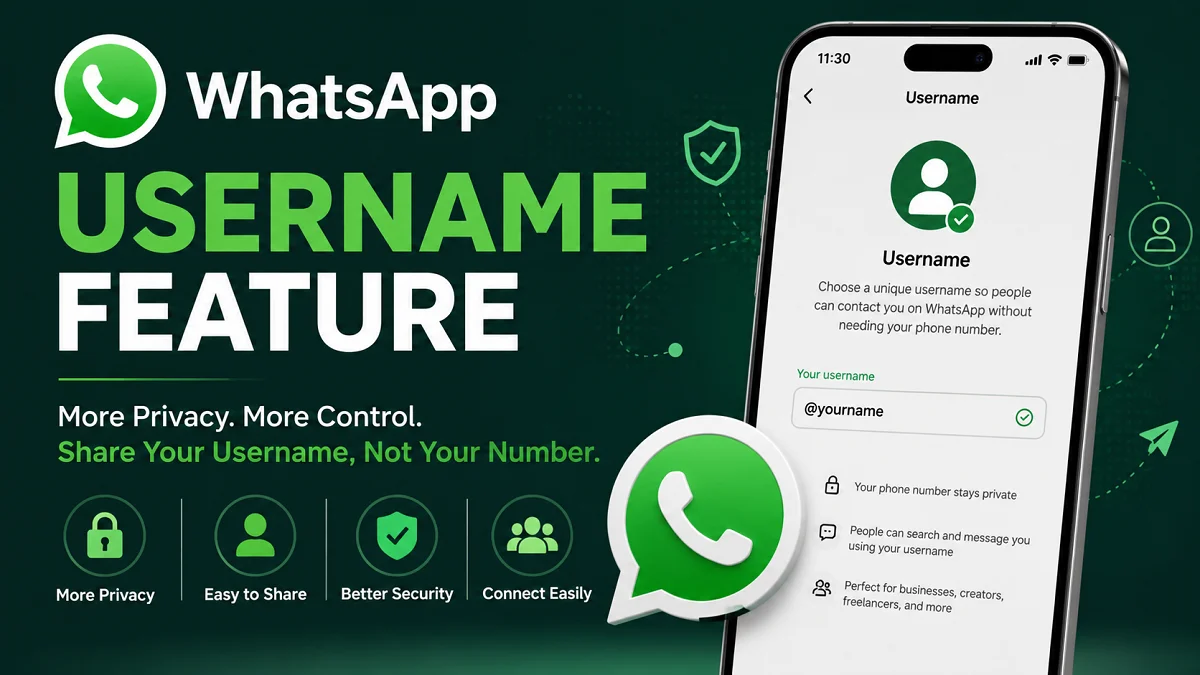
WhatsApp Username Feature: Everything We Need to Know
The WhatsApp Username feature is one of the biggest privacy-focused updates introduced to the world’s most popular messaging platform. For years, WhatsApp has relied entirely on phone numbers to identify users, making it necessary to share a personal mobile number before starting a conversation.
With the introduction of WhatsApp Username, this long-standing system is beginning to change. Instead of giving our phone number to everyone, we can choose a unique username that others can use to find and contact us. This makes WhatsApp more similar to platforms such as Telegram, Instagram, Signal, and X (formerly Twitter), where usernames help users communicate without revealing sensitive personal information.
This feature is expected to improve privacy, make networking easier, and offer users more control over who can access their phone numbers. Whether we use WhatsApp for personal conversations, business communication, online communities, or customer support, usernames can provide a safer and more flexible way to connect.
In this comprehensive guide, we explain everything about the WhatsApp Username feature, how it works, its benefits, expected rules, privacy improvements, possible limitations, and what we can expect in the future.
What Is the WhatsApp Username Feature?
The WhatsApp Username feature allows users to create a unique identifier that can replace the need to share their phone number during initial conversations.

Instead of saying:
“Here is my phone number.”
We can simply say:
“Find me using my WhatsApp username.”
A username acts as our public identity on WhatsApp while keeping our actual mobile number private from people who do not need to see it.
This represents one of the largest privacy improvements in WhatsApp’s history.
Why Is WhatsApp Introducing Usernames?
Privacy has become one of the most important concerns for internet users worldwide.
Currently, anyone who wants to message us on WhatsApp usually needs our phone number. While this system has worked for many years, it also creates several problems.
These include:
- Sharing personal phone numbers with strangers
- Business owners exposing private numbers
- Spam messages
- Scam attempts
- Unwanted calls
- Easier collection of personal information
The WhatsApp Username feature aims to solve many of these issues.
Instead of sharing our personal number, we can simply share our username.
How Does a WhatsApp Username Work?
A WhatsApp username functions as a unique digital identity linked to our account.
When another user searches for that username, WhatsApp can display our profile without necessarily revealing our mobile number.
The basic process is expected to work like this:
- Open WhatsApp Settings.
- Navigate to the Username section.
- Choose a unique username.
- Verify that the username is available.
- Save the username.
- Share the username instead of the phone number.
Once created, people can use the username to find and message us.
Why Are Usernames Important?
Usernames solve multiple problems that users have experienced for years.
Better Privacy
The biggest advantage is improved privacy.
Instead of exposing our personal phone number, we can communicate using only our username.
This is especially useful when interacting with:
- Online marketplaces
- Freelance clients
- Community groups
- Social media followers
- Gaming communities
- Event organizers
- Customer support
Easier Networking
Professionals often hesitate to share personal phone numbers publicly.
A username makes networking much easier because we can include it on:
- Business cards
- Websites
- Social media profiles
- Email signatures
- Online portfolios
- Digital resumes
Reduced Spam
Since our number remains hidden, fewer unknown people may gain access to it.
This can reduce:
- Spam messages
- Promotional texts
- Scam attempts
- Robocalls
Safer Online Communities
Many users participate in:
- Facebook groups
- Reddit communities
- Forums
- Discord servers
- Gaming platforms
Instead of posting a phone number publicly, they can simply share their WhatsApp username.
Key Benefits of the WhatsApp Username Feature
| Feature | Benefit |
|---|---|
| Privacy | Hide phone number from strangers |
| Easy Sharing | Share username instead of mobile number |
| Professional Identity | Better for businesses and freelancers |
| Less Spam | Fewer unwanted contacts |
| Better Security | More control over personal information |
| Networking | Easier professional communication |
| Online Communities | Safer public interactions |
Who Can Benefit From WhatsApp Usernames?
Almost everyone can benefit from this feature.
Business Owners
Businesses often publish contact information online.
Instead of exposing a personal number, they can simply use:
@BusinessName
Customers can connect without immediately seeing the owner’s phone number.
Freelancers
Designers, developers, writers, consultants, and marketers frequently communicate with new clients.
A username provides a more professional appearance while protecting personal privacy.
Students
Students participating in academic groups can communicate without sharing their private numbers with everyone.
Content Creators
Influencers and creators can add their WhatsApp username to:
- YouTube
- TikTok
- X
- Personal websites
This makes communication easier while maintaining privacy.
Online Sellers
Marketplace sellers often receive hundreds of inquiries.
Sharing a username instead of a phone number reduces unnecessary exposure.
Expected Username Rules
Although WhatsApp may update these guidelines over time, usernames are expected to follow rules similar to other platforms.
Possible requirements include:
- Must be unique
- Cannot duplicate another user’s username
- Cannot begin with “www.”
- No misleading usernames
- Cannot end with a domain such as “.com”
- No prohibited words
- Certain special characters may not be allowed
Usernames may include:
- Letters
- Numbers
- Periods
- Underscores
These rules help prevent impersonation and confusion.
How to Create a WhatsApp Username?
Once the WhatsApp Username feature becomes available on your account, creating a username should be a quick and straightforward process. WhatsApp is expected to include the option within the profile settings, allowing users to choose a unique username that others can use to find and contact them without needing their phone number.
Below is a detailed step-by-step guide based on the expected functionality of the feature.
Step 1: Update WhatsApp to the Latest Version
Before looking for the Username option, make sure you are using the latest version of WhatsApp.
If the feature has been rolled out in your region, updating the app ensures you have access to the newest tools, security improvements, and privacy features.
To update WhatsApp:
- Android: Open the Google Play Store, search for WhatsApp, and tap Update if available.
- iPhone: Open the Apple App Store, search for WhatsApp, and install the latest update.
If you are already using the newest version but do not see the Username option, the feature may not have reached your account yet because WhatsApp usually releases major updates in stages.
Step 2: Open WhatsApp Settings
Launch WhatsApp on your device.
Navigate to the Settings menu:
- Android: Tap the three-dot menu in the top-right corner and select Settings.
- iPhone: Tap the Settings tab at the bottom of the screen.
Your profile information, privacy settings, account options, and other preferences are all managed from this section.
Step 3: Open Your Profile
At the top of the Settings page, tap your profile photo or display name.
This page contains your personal account information, including:
- Profile photo
- Display name
- About section
- Phone number
- Username (once available)
If WhatsApp has enabled the feature for your account, you should see a new Username field.
Step 4: Tap the Username Option
Select the Username option to begin creating your unique identity.
If this is your first time using the feature, WhatsApp may briefly explain:
- What usernames are
- How they improve privacy
- How other people can use them to contact you
- Whether your phone number will remain hidden in certain situations
Take a moment to review this information before continuing.
Step 5: Enter Your Preferred Username
Type the username you would like to use.
Your username should ideally be:
- Short
- Easy to remember
- Easy to spell
- Professional
- Consistent with your identity on other platforms
For example:
- @JohnSmith
- @EmilyTravels
- @TechSolutions
- @DavidWrites
- @FitCoachSarah
Avoid using random letters or long strings of numbers unless absolutely necessary.
Step 6: Check Username Availability
Because every WhatsApp username must be unique, the app will automatically check whether your chosen username is available.
You may see one of the following messages:
| Status | Meaning |
|---|---|
| ✅ Available | The username is unique and can be used. |
| ❌ Already Taken | Another user is already using it. |
| ⚠ Invalid | The username does not meet WhatsApp’s rules. |
If your first choice is unavailable, try:
- Adding your middle name
- Including your business name
- Using your profession
- Adding a relevant word
- Using a simple underscore or period (if supported)
For example:
- @JohnSmithOfficial
- @JohnSmithUK
- @JohnSmithTech
- @JohnWrites
Step 7: Review WhatsApp’s Username Rules
Before saving your username, ensure it follows WhatsApp’s naming guidelines.
Although the final rules may vary, usernames are expected to:
- Be unique.
- Contain only supported characters.
- Avoid offensive language.
- Not impersonate another person or brand.
- Not include misleading website addresses.
- Follow WhatsApp’s community standards.
Choosing a username that reflects your real identity or business helps other users recognize you more easily.
Step 8: Save Your Username
Once you’ve selected an available username, tap Save or Done.
WhatsApp may display a confirmation message indicating that your username has been successfully created.
From this point onward, your username becomes part of your WhatsApp profile and can be used by others to find you, depending on your privacy settings.
Step 9: Adjust Your Privacy Settings
After creating your username, review your privacy settings to control what information other users can see.
You may want to check settings for:
- Phone number visibility
- Profile photo
- Last seen and online status
- About section
- Status updates
- Read receipts
- Groups
Using the Username feature together with WhatsApp’s privacy controls gives you greater control over your personal information.
Step 10: Share Your Username
Instead of giving out your phone number, simply share your username wherever appropriate.
You can include it on:
- Business cards
- Company websites
- Email signatures
- Social media profiles
- Online portfolios
- YouTube channel descriptions
- Digital resumes
- Marketing materials
This makes it easier for new contacts, clients, and friends to reach you while helping keep your phone number private.
Tips for Choosing a Good WhatsApp Username
Before finalizing your username, keep these best practices in mind:
- Choose a name that people can easily remember.
- Keep it as short as possible without losing clarity.
- Use the same username across different social platforms for consistent branding.
- Avoid unnecessary numbers and symbols.
- If you own a business, use your brand name whenever possible.
- Avoid changing your username frequently, as this can confuse your contacts.
- Select a professional username if you plan to use WhatsApp for work or customer communication.
A well-chosen username not only improves your privacy but also helps build a recognizable and trustworthy online identity.
WhatsApp Username vs Phone Number
| Feature | Username | Phone Number |
|---|---|---|
| Privacy | High | Lower |
| Easy to Share | Yes | Yes |
| Personal Information | Hidden | Visible |
| Professional Branding | Excellent | Limited |
| Spam Protection | Better | Lower |
| Searchability | Easier | Traditional |
How Usernames Improve Privacy?
Privacy is the biggest reason this feature matters.
Today, when someone has our phone number, they may also:
- Save our contact
- View our profile picture
- Check our status
- Learn our country code
- Identify our region
A username creates an extra privacy layer.
Instead of immediately exposing our number, WhatsApp can allow conversations while keeping sensitive information hidden according to our privacy settings.
Will Phone Numbers Disappear?
No.
Phone numbers remain essential for:
- Account registration
- Verification
- Security
- Two-factor authentication
- Account recovery
The username is an additional identity, not a replacement for our registered phone number.
WhatsApp Username for Businesses
Businesses can gain significant advantages.
Examples include:
Customer Support
Customers can contact support using a username instead of requesting a phone number.
Marketing
Businesses can print usernames on:
- Packaging
- Flyers
- Product manuals
- Business cards
- Advertisements
Brand Recognition
A memorable username strengthens brand identity.
Example:
@CoffeeHouse
is easier to remember than an international phone number.
Security Considerations
Although usernames improve privacy, users should continue following good security practices.
We should:
- Enable two-step verification.
- Never share verification codes.
- Watch for fake accounts.
- Verify business identities before sending payments.
- Report suspicious users.
- Update WhatsApp regularly.
Privacy tools work best when combined with safe online habits.
Possible Challenges
Like every new feature, usernames may introduce some challenges.
Popular Names May Already Be Taken
Simple usernames may become unavailable quickly.
For example:
- @john
- @mike
- @alex
Users may need creative alternatives.
Impersonation Attempts
Popular personalities and brands may experience fake accounts using similar usernames.
WhatsApp may introduce verification methods or stronger reporting systems to address this issue.
Learning Curve
Some users are accustomed to phone-number-based messaging.
It may take time for everyone to become familiar with username searches and sharing.
Best Practices After Creating a Username
Once we have chosen a username, it is a good idea to:
- Share it consistently across platforms.
- Keep it professional.
- Avoid frequent changes.
- Update privacy settings.
- Enable account security features.
- Inform friends and customers if the username changes.
These practices help maintain trust and make it easier for others to find us.
Frequently Asked Questions
Is the WhatsApp Username feature free?
Yes. The feature is expected to be available to WhatsApp users without an additional charge.
Can we change our username later?
WhatsApp is expected to allow username changes, although restrictions may apply to prevent abuse or impersonation.
Does a username replace our phone number?
No. Our phone number remains linked to our account for registration, verification, and security purposes.
Can someone message us using only our username?
The purpose of the feature is to allow users to find and contact us through our username instead of requiring our phone number, subject to our privacy settings.
Will everyone see our phone number?
Not necessarily. The feature is designed to provide more control over when and with whom our phone number is shared.
Can two users have the same username?
No. Each username is expected to be unique so that it identifies only one account.
Will businesses benefit from usernames?
Yes. Businesses, freelancers, creators, educators, and organizations can use usernames to simplify communication while protecting personal contact details.
Future of WhatsApp Usernames
The introduction of usernames opens the door to many future improvements across the WhatsApp ecosystem.
In the coming years, we may see deeper integration between usernames and other features such as QR codes, business profiles, channels, communities, and AI-powered assistance. Usernames could also make it easier to start conversations across Meta’s family of apps without exposing personal phone numbers.
As digital privacy becomes increasingly important, usernames provide a foundation for safer and more flexible communication. They also create opportunities for businesses to strengthen their online presence and for individuals to build a consistent digital identity across different platforms.
Conclusion
The WhatsApp Username feature represents a significant step forward in making communication more private, secure, and user-friendly. By allowing us to connect through a unique username instead of immediately sharing our phone number, WhatsApp addresses one of the platform’s longest-standing privacy concerns.
Whether we are professionals, business owners, students, freelancers, content creators, or everyday users, usernames offer a simpler and safer way to connect with new people while maintaining greater control over our personal information. They reduce unnecessary exposure to spam, improve professional branding, and make sharing our contact details much easier.
As WhatsApp continues to evolve, the Username feature is expected to become a key part of how people communicate online. Choosing a memorable, professional, and consistent username will help us take full advantage of this privacy-focused update while preparing for the future of secure digital messaging.
Also read: WhatsApp Web Voice and Video Calls: New Upgrade 2026


