
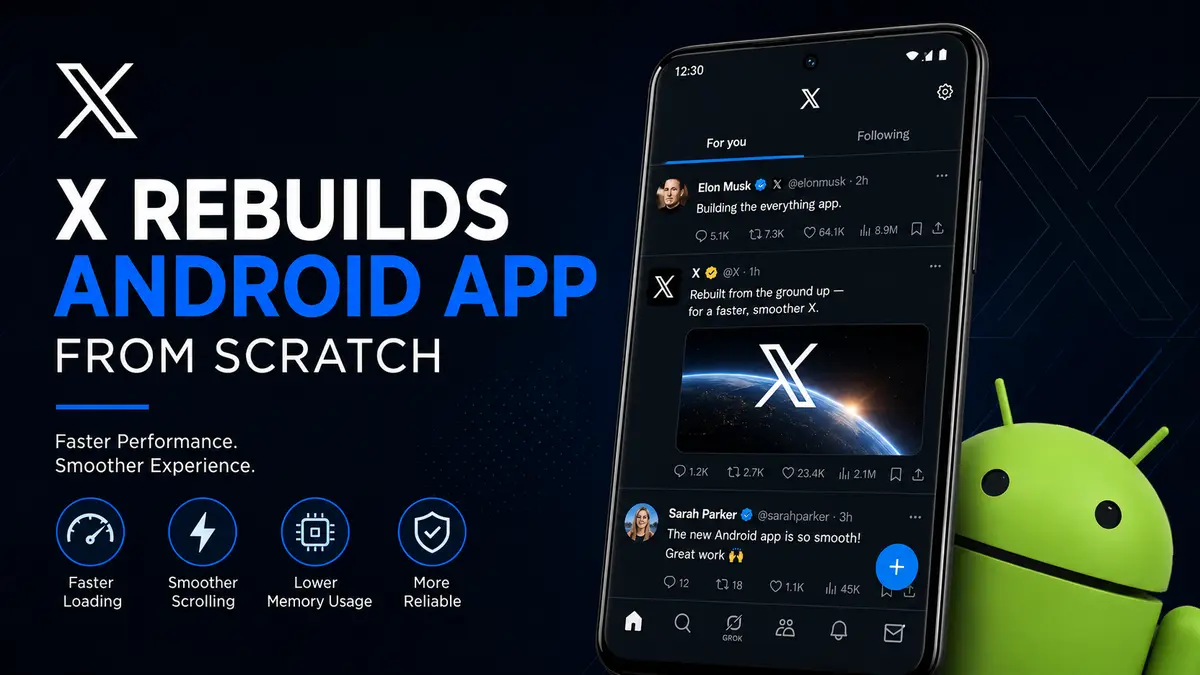
X Rebuilds New Android App from Scratch: Faster Performance
X rebuilds Android app from scratch to deliver a faster, more responsive experience for millions of Android users worldwide. The new version introduces an entirely redesigned architecture that reduces lag, improves scrolling, lowers memory consumption, and makes future feature updates easier to develop and release.
After spending more than a year redesigning its Android application, X has officially launched a rebuilt version of the app. Rather than simply improving the existing codebase, the engineering team chose to start over with a modern architecture designed specifically for today’s Android devices. The move reflects the company’s broader strategy of improving user experience while simplifying long-term development.
The update represents one of the biggest technical overhauls since Twitter became X. While most users will immediately notice smoother animations and quicker loading times, the changes happening behind the scenes are even more significant.
What Changed in the New X Android App?
Instead of making incremental improvements to an aging application, X engineers rebuilt the Android app almost entirely from the ground up. The previous app had accumulated years of legacy code originating from the Twitter era. As more features were added over time, maintaining the application became increasingly difficult.

The new version replaces much of that legacy infrastructure with a cleaner, more modern framework optimized for current Android development standards.
Some of the most noticeable improvements include:
| Feature | Previous Android App | Rebuilt Android App |
|---|---|---|
| App responsiveness | Good | Much faster |
| Scrolling | Occasionally stuttered | Smoother and more consistent |
| Memory usage | Higher | Lower |
| Screen loading | Slower | Faster |
| Animations | Sometimes laggy | More fluid |
| Future updates | Harder to develop | Easier and faster |
These changes affect almost every part of the application, even though many users may not immediately notice the technical work behind them.
Why X Decided to Rebuild the Android App?
Rebuilding an application from scratch is a rare decision for any major technology company. It requires significant engineering resources and carries substantial risk. However, there are several reasons why X believed the investment was worthwhile.
Years of Legacy Code
The Android application had evolved continuously over many years. During that time, developers introduced new features, bug fixes, security patches, advertising systems, subscriptions, messaging improvements, AI integrations, and numerous interface updates.
Eventually, the underlying code became increasingly difficult to maintain.
When software reaches this stage, adding new features often introduces unexpected bugs elsewhere in the application. Development also becomes slower because engineers must work around outdated components instead of building on a clean foundation.
Starting over allows developers to eliminate years of technical debt.
Faster Feature Development
One major advantage of a rebuilt architecture is development speed.
When the software foundation becomes cleaner and more modular, engineers can:
- Release updates more frequently
- Fix bugs faster
- Test new features more efficiently
- Reduce unexpected crashes
- Maintain better code quality
This benefits both developers and users because improvements can reach the public more quickly.
Better Support for Modern Android Devices
Android smartphones have changed dramatically over the past decade.
Today’s devices feature:
- Foldable displays
- High refresh rate screens
- AI-powered processors
- Larger memory capacities
- Advanced graphics hardware
Older software architectures often struggle to take full advantage of these hardware improvements.
The rebuilt X app is designed with modern Android capabilities in mind, making it better prepared for both current and future devices.
Key Improvements Users Will Notice
Although much of the redesign focuses on backend engineering, users should experience several practical improvements during everyday use.
Faster App Startup
Launching the application now feels noticeably quicker.
Reducing startup time creates a better first impression and makes switching between applications feel more seamless.
Smoother Scrolling
Social media users spend most of their time scrolling through content.
The rebuilt Android app improves frame rendering and reduces animation hiccups, resulting in:
- More fluid timeline scrolling
- Smoother image loading
- Better video transitions
- Reduced stuttering
This is particularly noticeable on devices with 90Hz and 120Hz displays.
Lower Memory Usage
Efficient memory management is one of the biggest improvements reported with the rebuilt app.
Lower RAM usage can provide several benefits:
- Better multitasking
- Fewer app reloads
- Reduced background process termination
- Improved battery efficiency
Users with older Android phones may notice these improvements even more than those using flagship devices.
Improved Responsiveness
Every interaction inside the app—from opening notifications to switching tabs—should feel faster.
Small delays may seem insignificant individually, but they add up over hundreds of interactions each day. Reducing these delays creates a noticeably smoother experience overall.
Behind the Scenes: The Technical Changes
While X has not disclosed every engineering detail, several key architectural improvements are believed to contribute to the app’s better performance.
Cleaner Codebase
The previous application contained years of accumulated legacy code.
The rebuilt version emphasizes:
- Better organization
- Simpler maintenance
- Reduced duplication
- Improved readability
- Easier debugging
A cleaner codebase enables engineers to spend more time building new features rather than fixing old problems.
Modern Android Development Practices
The redesign appears to embrace modern Android development principles, including:
- Improved UI rendering
- Better lifecycle management
- More efficient background processing
- Enhanced resource handling
- Cleaner state management
These practices reduce unnecessary processing while improving stability.
Better Performance Optimization
Performance optimization extends beyond making the app “feel” faster.
The engineering team likely focused on:
- Reducing unnecessary rendering
- Faster screen transitions
- Optimizing network requests
- Improving image caching
- Better thread management
Together, these optimizations contribute to a more responsive experience.
Performance Benefits Explained
The improvements extend beyond simple speed tests.
Reduced CPU Workload
When an application performs fewer unnecessary calculations, the processor has less work to do.
Benefits include:
- Lower heat generation
- Improved battery life
- Better sustained performance
- Reduced slowdowns during extended use
Improved Battery Efficiency
Battery life depends on many factors, but software optimization plays a major role.
A more efficient application can reduce:
- Background activity
- CPU wakeups
- Memory allocation
- Rendering overhead
These improvements help conserve power throughout the day.
Better Stability
Modern architectures often reduce unexpected crashes because they simplify how different parts of the application interact.
Users may experience:
- Fewer freezes
- Less random lag
- Improved reliability
- More consistent performance across devices
Early User Reactions
Initial reactions from Android users have been largely positive.
Many users report that the application feels noticeably smoother immediately after installation. Improvements most frequently mentioned include faster startup times, fluid scrolling, quicker navigation between tabs, and reduced interface lag.
However, as with any major rebuild, some users have also encountered minor issues that are expected to be resolved through future updates. Large-scale software redesigns often require several follow-up releases as developers gather real-world feedback from millions of devices with different hardware configurations.
Developers will likely continue refining performance over the coming weeks based on user reports and analytics.
New Android App vs Previous Version
The difference between the old and rebuilt Android app goes far beyond appearance.
| Category | Previous Version | New Rebuilt Version |
|---|---|---|
| Core Architecture | Legacy code | Completely redesigned |
| Performance | Good | Significantly improved |
| Memory Management | Older system | More efficient |
| Animation Smoothness | Occasional frame drops | Consistently smoother |
| Future Feature Development | More difficult | Easier and faster |
| Maintainability | Complex | Cleaner and more modular |
| Scalability | Limited by older code | Better prepared for future growth |
For everyday users, these backend improvements translate into a faster, more polished experience. For X’s engineering team, they create a stronger foundation for rolling out new features, AI-powered capabilities, and future platform enhancements without being constrained by years of accumulated technical debt.
What This Means for Android Users?
For most people, the rebuilt app means a smoother day-to-day experience rather than a dramatic visual redesign. While the interface remains familiar, nearly every interaction has been optimized behind the scenes.
Users can expect improvements in several common activities:
- Opening the app after it has been closed
- Refreshing the Home timeline
- Switching between tabs
- Viewing images and videos
- Reading long conversation threads
- Loading user profiles
- Posting replies and creating new posts
- Receiving notifications more reliably
These improvements may appear small individually, but together they make the app feel considerably more polished.
Better Experience Across Different Devices
One of the biggest challenges for Android developers is supporting thousands of smartphone models with different processors, memory capacities, screen sizes, and Android versions.
A modern architecture allows developers to optimize performance across:
- Budget Android phones
- Mid-range smartphones
- Premium flagship devices
- Foldable phones
- Android tablets
- High refresh-rate displays
Users with older phones may notice the greatest improvement because efficient software places less strain on limited hardware resources.
Why Starting From Scratch Was Worth the Effort?
Rewriting a mature application is one of the most difficult decisions a software company can make. It often requires months—or even years—of engineering work before users see any visible results.
However, rebuilding an app can provide long-term benefits that are difficult to achieve by continually patching an older codebase.
Reduced Technical Debt
Technical debt refers to the compromises developers make over time to ship features quickly. While these shortcuts may help in the short term, they eventually make software harder to maintain.
A clean rebuild allows engineers to:
- Remove outdated components
- Eliminate redundant code
- Simplify complex systems
- Improve documentation
- Create a more maintainable foundation
This reduces the likelihood of future bugs and makes the application easier to evolve.
Easier Testing
Modern software architectures support more automated testing, making it easier to identify issues before updates reach users.
Benefits include:
- Fewer unexpected bugs
- More stable releases
- Faster quality assurance
- Improved reliability after updates
How the Rebuild Could Accelerate Future Features?
Although the rebuilt Android app focuses primarily on performance, it also lays the groundwork for future innovations.
A cleaner codebase enables engineers to introduce new capabilities without spending excessive time adapting older systems.
Possible areas of future development include:
Faster Rollout of New Features
When developers work with modern architecture, new features generally require fewer code changes. This can shorten development cycles and reduce the risk of introducing unrelated bugs.
Users may receive updates more frequently as a result.
Improved AI Integration
Artificial intelligence has become a major focus across X, from smarter search tools to AI-assisted content creation and recommendations.
A rebuilt Android app provides a stronger technical foundation for integrating future AI-powered features while maintaining responsive performance.
Better Multimedia Experience
As videos, live streams, and high-resolution images continue to dominate social media, optimized rendering and media handling become increasingly important.
The new architecture should make it easier for X to improve:
- Video playback
- Live broadcasts
- Image galleries
- Interactive media
- Rich posts
Android vs iOS Development: Why Android Needed Special Attention
Developing for Android is generally more complex than developing for iOS because of the platform’s diversity.
Device Fragmentation
Unlike Apple’s tightly controlled hardware ecosystem, Android powers devices from many manufacturers.
Developers must account for:
| Android Challenge | Impact |
|---|---|
| Thousands of phone models | More compatibility testing |
| Different processors | Performance optimization becomes harder |
| Multiple Android versions | Additional maintenance |
| Various screen sizes | UI adaptation |
| Manufacturer customizations | Potential software conflicts |
Rebuilding the Android app gives engineers greater flexibility to optimize performance across this broad ecosystem.
Modern Development Standards
Android development has evolved significantly over the past few years. New tools, libraries, and design patterns improve performance and simplify maintenance.
By embracing these newer approaches, X positions itself to take better advantage of ongoing improvements in the Android platform.
How the Update Benefits Developers
While users enjoy smoother performance, developers gain a more efficient environment for building and maintaining the app.
Key benefits include:
- Cleaner project organization
- Easier debugging
- Faster implementation of new features
- Simplified collaboration between engineering teams
- Reduced maintenance costs
- Better long-term scalability
These improvements allow engineering teams to spend more time innovating instead of fixing issues caused by aging infrastructure.
Could There Be Any Downsides?
Every major software rewrite carries some risks.
Temporary Bugs
Even after extensive testing, real-world usage often reveals issues that are difficult to detect during development.
Some users may initially experience:
- Minor interface glitches
- Feature inconsistencies
- Unexpected crashes on specific devices
- Temporary battery issues
- Compatibility problems with certain Android versions
Most of these issues are typically resolved through incremental updates after launch.
Learning Curve for Developers
Although the new architecture simplifies long-term maintenance, engineers must adapt to updated tools, workflows, and coding standards.
This adjustment period is common after significant software redesigns.
Industry Trend: More Companies Are Rebuilding Legacy Apps
X is not alone in modernizing its software.
Several major technology companies have rebuilt core applications over the years to improve performance and reduce technical debt.
Common motivations include:
- Faster development
- Improved security
- Better scalability
- Lower maintenance costs
- Enhanced user experience
- Support for emerging technologies
As smartphones become more powerful, users expect apps to feel instantaneous. Companies increasingly recognize that meeting those expectations often requires modernizing the underlying architecture rather than relying on incremental fixes.
Expert Analysis: Why This Update Matters
Although the visual changes may appear modest, the engineering work behind this release is substantial.
For a platform with hundreds of millions of users, performance improvements can have a significant cumulative impact. Faster screen rendering, smoother scrolling, and lower memory usage contribute to a more enjoyable experience while also reducing the burden on device hardware.
From a business perspective, a modern codebase also enables X to innovate more rapidly. Future features can be developed, tested, and deployed with greater efficiency, helping the platform respond more quickly to user feedback and competitive pressures.
Perhaps most importantly, the rebuild demonstrates a commitment to improving the platform’s long-term technical foundation rather than relying solely on short-term feature additions.
What’s Next for X?
The Android rebuild is likely only one step in X’s broader product strategy.
Looking ahead, users may see continued improvements in areas such as:
- AI-powered features
- Better recommendation algorithms
- Faster media loading
- Improved messaging capabilities
- Enhanced accessibility
- Stronger security protections
- Continued performance optimization
Because the underlying architecture has been modernized, future updates should be easier to develop and deliver.
Also read: Grok AI Assistant Comes to Microsoft Office for Free
Frequently Asked Questions (FAQs)
1. Why did X rebuild its Android app from scratch?
X rebuilt the Android app to replace years of accumulated legacy code with a modern architecture that improves performance, simplifies maintenance, reduces technical debt, and accelerates future feature development.
2. Will users notice a difference immediately?
Yes. Many users should notice faster startup times, smoother scrolling, quicker navigation, and improved overall responsiveness after updating to the rebuilt app.
3. Does the new Android app use less memory?
Yes. One of the primary goals of the rebuild is more efficient memory management, which can improve multitasking, reduce app reloads, and contribute to better battery performance.
4. Is the app visually different?
The interface remains largely familiar. Most of the improvements are under the hood, focusing on performance, stability, and efficiency rather than a complete visual redesign.
5. Will older Android phones benefit?
In many cases, yes. Devices with limited RAM or older processors may benefit the most from the optimized architecture and lower resource consumption.
6. Does this update affect iPhone users?
No. This rebuild specifically targets the Android application. The iOS version follows a separate development path and was not part of this redesign.
7. Could there be bugs after such a major rewrite?
Like any large software update, minor issues may appear on certain devices initially. X is expected to address these through regular maintenance updates based on user feedback.
8. What does this mean for future X features?
A cleaner and more modern codebase makes it easier for developers to introduce new features, AI-powered tools, performance improvements, and security enhancements more quickly and with fewer compatibility issues.
Final Thoughts
The decision to rebuild the Android app from scratch marks one of the most significant engineering efforts in X’s recent history. Rather than making incremental improvements to an increasingly complex codebase, the company invested in creating a modern foundation designed for speed, stability, and future growth.
For users, the benefits are immediately noticeable through smoother scrolling, faster navigation, improved responsiveness, and more efficient resource usage. Behind the scenes, the redesign also enables X’s developers to build and release new features more quickly while reducing the maintenance challenges associated with legacy software.
As X continues expanding its AI capabilities and introducing new platform features, this rebuilt Android app should provide the technical flexibility needed to support those ambitions for years to come.
More Details: X Launches Fully Rebuilt Android App After Year-Long Overhaul


