
Best AI Apps for Everyday Life: Top 10 AI Tools in 2026
Best AI Apps for Everyday Life: Artificial intelligence is no longer reserved for tech experts or large companies. Today, AI has become an essential part of everyday life, helping millions of people work smarter, learn faster, communicate better, and save valuable time. From writing emails and organizing schedules to creating professional designs and editing videos, AI-powered applications have transformed how we complete daily tasks.
The growing number of AI tools, however, makes choosing the right one increasingly difficult. Every month, new applications promise better performance, smarter automation, and innovative features. While many of these apps are useful, only a handful consistently deliver reliable results, intuitive user experiences, and real value for everyday users.
In this guide, we’ve carefully selected the best AI apps based on usability, performance, features, pricing, and overall usefulness. Whether you’re a student preparing assignments, a professional managing projects, a content creator producing videos, or a business owner looking to improve productivity, these AI apps can simplify your workflow and help you accomplish more in less time.
Instead of simply listing popular names, this article explains what makes each application unique, who should use it, its strengths and weaknesses, and the situations where it performs best. By the end of this guide, you’ll have a clear understanding of which AI app fits your needs and whether a free version is enough or if upgrading to a premium plan is worthwhile.
How We Selected the Best AI Apps?
Hundreds of AI-powered applications are available today, but not all of them deserve a place on this list. Some specialize in writing, while others focus on design, productivity, learning, or business automation. To ensure our recommendations are genuinely useful, we evaluated each app using practical criteria that matter to everyday users rather than relying solely on popularity.
Every application featured in this guide was assessed based on:
- Ease of use for beginners and experienced users
- AI accuracy and response quality
- Real-world usefulness in everyday tasks
- Cross-platform availability
- Privacy and security features
- Value offered by free and paid plans
- Regular updates and ongoing development
- Overall user experience and reliability
The result is a curated list of the best AI apps that offer meaningful benefits across a wide range of everyday activities.
Best AI Apps for Everyday Life
1. ChatGPT – The Best Overall AI App for Everyday Life
When people think about artificial intelligence, ChatGPT is often the first application that comes to mind, and for good reason. It has quickly become one of the world’s most widely used AI assistants because it can perform an incredible variety of tasks from a single interface. Rather than specializing in only one area, ChatGPT acts as a universal AI companion capable of helping with writing, learning, coding, brainstorming, research, planning, translation, and much more.
One of ChatGPT’s biggest strengths is its ability to understand natural language. Instead of forcing users to learn complicated commands, it responds to conversational prompts much like speaking with an intelligent assistant. Whether you’re asking it to explain a complex topic, generate content ideas, summarize lengthy documents, or write professional emails, the experience feels intuitive and efficient.
For students, ChatGPT can explain difficult subjects, create study plans, and simplify research. Professionals use it to draft reports, prepare presentations, and improve workplace communication. Content creators rely on it for scripting videos, generating blog outlines, and brainstorming social media ideas. Developers benefit from code generation, debugging assistance, and programming explanations, making it one of the most versatile AI tools available today.
Its flexibility is exactly why ChatGPT consistently ranks among the best AI apps for everyday use. Instead of downloading multiple specialized tools, many users can accomplish a wide range of tasks using ChatGPT alone.
Why We Recommend ChatGPT?
ChatGPT delivers exceptional value because it adapts to almost any workflow. Whether you need help at school, work, or home, it provides quick, well-structured responses that can significantly reduce the time spent on repetitive or time-consuming tasks.
Key Features
- AI-powered conversational assistant
- Long-form writing and editing
- Research summaries
- Coding assistance and debugging
- Brainstorming and idea generation
- Language translation
- Email and business communication
- Study assistance
- Travel planning
- Document analysis
Pros
- Extremely versatile
- Beginner-friendly interface
- Supports dozens of different tasks
- Available across multiple devices
- Frequently updated with new AI capabilities
Cons
- Premium subscription unlocks the most advanced AI models
- Important information should always be fact-checked
Pricing
- Free Plan: Available
- Premium: Available with advanced features and higher usage limits
Best For
- Students
- Content creators
- Freelancers
- Business owners
- Developers
- Researchers
- Marketing professionals
Our Verdict
If you only plan to use one AI application, ChatGPT is the strongest overall choice. Its versatility, ease of use, and constantly improving capabilities make it one of the most valuable AI tools available today.
2. Microsoft Copilot – The Best AI App for Office Productivity
For users who spend most of their day working with documents, spreadsheets, presentations, and emails, Microsoft Copilot has become one of the most valuable AI assistants on the market. Rather than functioning as a separate application, Copilot integrates directly into Microsoft 365, allowing users to access AI-powered features inside familiar programs like Word, Excel, Outlook, PowerPoint, and Teams.
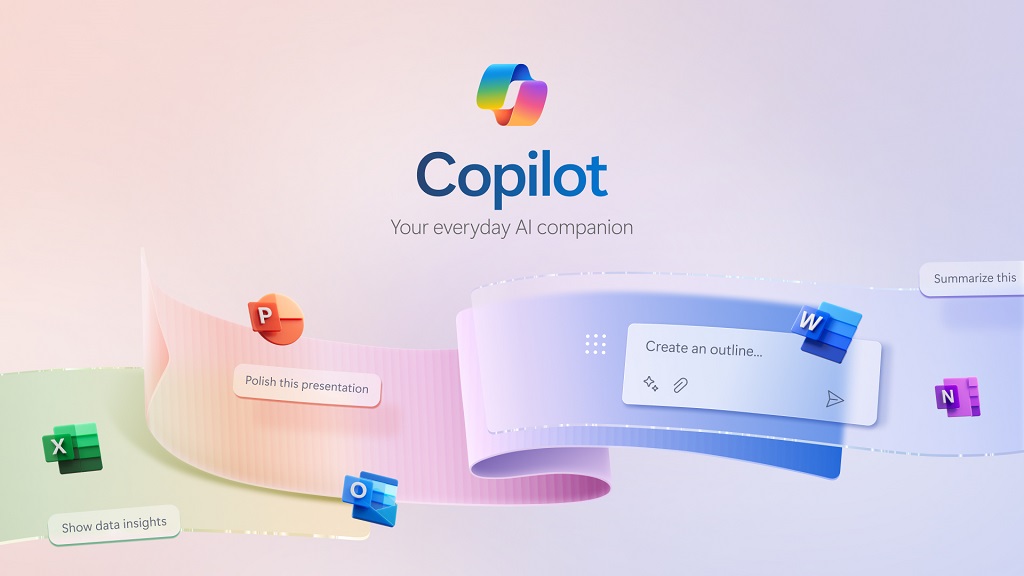
This seamless integration is what makes Copilot stand out. Instead of copying information between different tools, users can generate reports, analyze spreadsheets, summarize meetings, draft professional emails, and create presentations without leaving their workspace. This dramatically reduces repetitive work and allows professionals to focus on higher-value tasks.
Microsoft Copilot is particularly beneficial for businesses and organizations already invested in Microsoft’s ecosystem. Employees can quickly generate meeting notes, organize project updates, analyze business data, and automate routine documentation with only a few prompts. Even users with limited technical knowledge can take advantage of these features because they are built directly into software they already use every day.
Although Copilot is designed primarily for workplace productivity, students and freelancers who rely on Microsoft Office can also benefit from its intelligent writing assistance, data analysis, and presentation tools.
Why We Recommend Microsoft Copilot?
Its deep integration with Microsoft applications makes everyday office work significantly faster and more efficient without requiring users to learn an entirely new platform.
Key Features
- AI document writing in Word
- Spreadsheet analysis in Excel
- AI-generated PowerPoint presentations
- Email drafting in Outlook
- Meeting summaries
- Microsoft Teams integration
- Workflow automation
- Intelligent document editing
Pros
- Excellent Microsoft 365 integration
- Saves significant time on repetitive office tasks
- Easy for existing Microsoft users
- Enterprise-grade security
- Strong collaboration features
Cons
- Works best within Microsoft’s ecosystem
- Some advanced capabilities require a Microsoft 365 subscription
Pricing
- Free: Limited features
- Premium: Included with eligible Microsoft plans
Best For
- Office professionals
- Corporate teams
- Small businesses
- Financial analysts
- Project managers
- Microsoft 365 users
Our Verdict
If your daily work revolves around Microsoft Office, Copilot is one of the best AI apps you can invest in. Its productivity benefits alone can save hours every week.
3. Notion AI – The Best AI Workspace for Notes and Project Management
Staying organized becomes increasingly challenging as projects, meetings, and personal responsibilities grow. Notion AI addresses this problem by combining note-taking, documentation, project management, and artificial intelligence into a single, highly customizable workspace.
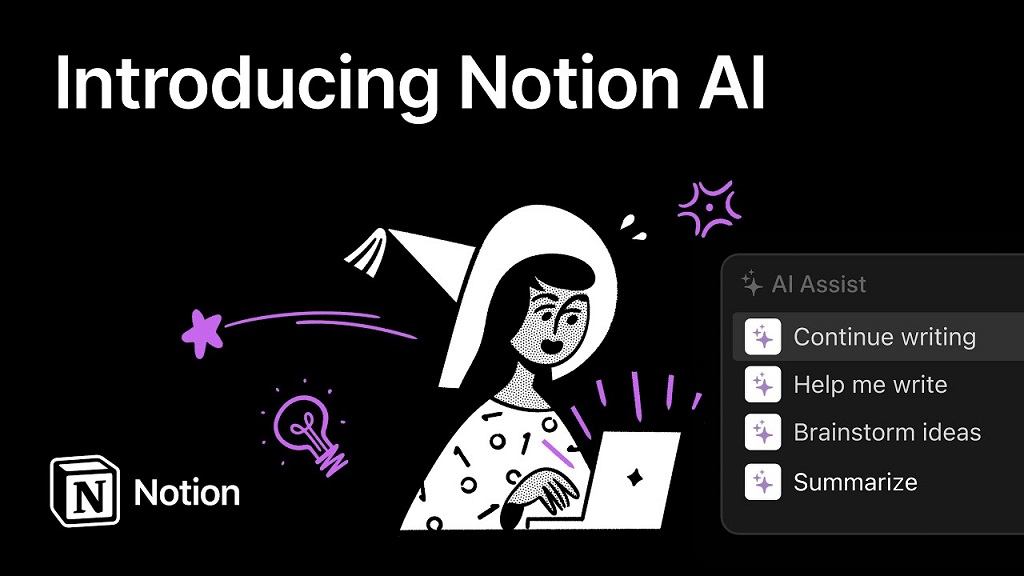
Unlike traditional note-taking applications that simply store information, Notion AI actively helps users organize and improve their content. It can summarize lengthy meeting notes, generate project outlines, rewrite text, create action items, brainstorm ideas, and even answer questions using information stored inside your workspace.
This makes Notion AI particularly valuable for professionals managing multiple projects, students organizing coursework, startups documenting processes, and creators planning content calendars. Instead of switching between separate applications for notes, tasks, and writing, everything can be managed from one centralized platform.
Another advantage is its collaborative environment. Teams can work together on documents while using AI to streamline planning, documentation, and knowledge sharing, making daily workflows much more efficient.
Why We Recommend Notion AI?
It combines powerful organization tools with intelligent AI features, making it one of the most complete productivity platforms available.
Key Features
- AI writing assistant
- Meeting summaries
- Project planning
- Task generation
- Brainstorming
- Knowledge management
- Content organization
- Team collaboration
Pros
- Combines several productivity tools into one platform
- Highly customizable
- Excellent collaboration features
- Clean interface
- AI saves time on documentation
Cons
- Can feel overwhelming for beginners
- Premium subscription unlocks the best AI features
Pricing
- Free Plan: Available
- Premium: Available with advanced AI functionality
Best For
- Students
- Researchers
- Startup teams
- Project managers
- Content creators
- Remote teams
Our Verdict
For anyone looking to organize work, notes, and projects in one place, Notion AI is one of the best AI apps currently available.
4. Grammarly – The Best AI App for Writing and Communication
Writing is one of the most common activities performed on computers and smartphones, whether it’s sending emails, creating reports, publishing blog posts, or communicating on social media. Grammarly has evolved far beyond a simple grammar checker to become a comprehensive AI writing assistant that helps users communicate more clearly and professionally.
Instead of only correcting spelling mistakes, Grammarly analyzes grammar, punctuation, sentence structure, readability, clarity, tone, and style in real time. It can identify awkward wording, suggest stronger vocabulary, and even rewrite sentences to make them more engaging or easier to understand.
Professionals use Grammarly to improve workplace communication, students rely on it for assignments and essays, while bloggers and marketers use it to polish articles before publishing. Because it integrates with web browsers, Microsoft Office, email platforms, and mobile devices, Grammarly improves writing almost everywhere users type.
Another feature that sets Grammarly apart is its tone detection. The AI evaluates whether your message sounds confident, friendly, formal, or persuasive, helping ensure your writing matches the intended audience.
Why We Recommend Grammarly?
Few AI writing tools offer the same combination of accuracy, ease of use, and cross-platform support, making Grammarly an excellent companion for anyone who writes regularly.
Key Features
- Grammar correction
- Spelling checker
- Tone detection
- AI sentence rewriting
- Readability improvements
- Style suggestions
- Plagiarism detection (Premium)
- Writing enhancement
Pros
- Extremely easy to use
- Works across multiple platforms
- Real-time writing assistance
- Improves clarity and professionalism
- Saves editing time
Cons
- Premium subscription provides the most advanced features
- Some stylistic suggestions may require personal judgment
Pricing
- Free Plan: Available
- Premium: Available with advanced writing tools and plagiarism detection
Best For
- Students
- Bloggers
- Authors
- Business professionals
- Copywriters
- Marketing teams
- Freelancers
Our Verdict
Grammarly remains one of the best AI apps for anyone who wants to write with greater confidence, accuracy, and professionalism, regardless of their experience level.
5. Google Gemini – The Best AI App for Google Workspace Users
If you regularly use Gmail, Google Docs, Google Drive, Google Maps, or Android devices, Google Gemini is one of the best AI apps you can add to your daily workflow. Developed by Google, Gemini is deeply integrated into the company’s ecosystem, allowing users to complete tasks without constantly switching between different applications.
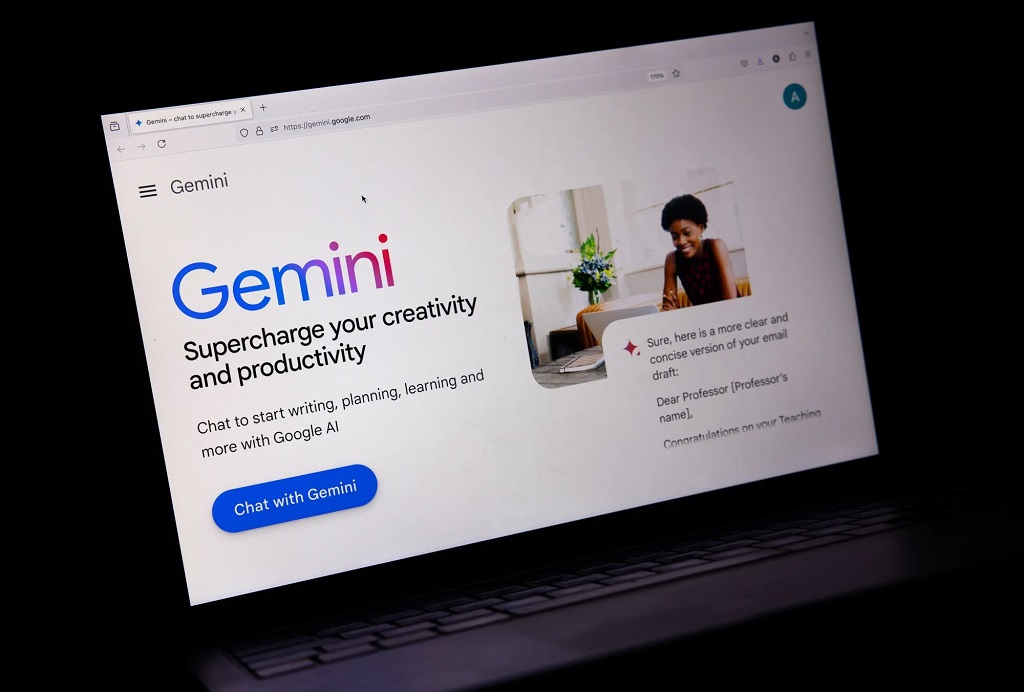
What makes Gemini particularly valuable is its ability to combine Google’s powerful search capabilities with advanced generative AI. Instead of simply finding information, Gemini can summarize complex topics, draft emails, generate documents, answer questions, analyze images, and assist with planning tasks. This makes it a reliable assistant for both personal and professional use.
Android users benefit even more because Gemini can interact with supported Google apps, helping manage calendars, create reminders, search emails, organize trips, and answer questions using contextual information. For users already invested in Google’s services, Gemini feels like a natural extension of their everyday workflow.
Another major advantage is its multimodal capability. Users can interact using text, voice, or images, making conversations more natural and useful across different scenarios.
Why We Recommend Google Gemini?
Gemini combines Google’s powerful ecosystem with advanced AI, making everyday productivity smoother for millions of users.
Key Features
- AI-powered search assistance
- Gmail writing support
- Google Docs content generation
- Image understanding
- Voice conversations
- Google Workspace integration
- Travel planning
- Research assistance
Pros
- Excellent integration with Google services
- Beginner-friendly interface
- Strong research capabilities
- Supports text, voice, and images
- Frequently updated with new features
Cons
- Some advanced capabilities require a premium subscription
- Best experience is within Google’s ecosystem
Pricing
- Free Plan: Available
- Premium: Google AI Pro subscription
Best For
- Android users
- Students
- Professionals
- Researchers
- Google Workspace users
- Everyday productivity
Our Verdict
If your digital life revolves around Google services, Gemini deserves a place among the best AI apps for everyday productivity.
6. Canva AI – The Best AI App for Graphic Design
Professional-looking graphics no longer require years of design experience. Canva AI has transformed graphic design by allowing anyone to create presentations, social media posts, posters, logos, marketing materials, and documents using simple AI-powered tools.
Unlike traditional design software that often has a steep learning curve, Canva focuses on simplicity. Users can describe what they want, and AI helps generate layouts, images, presentations, and written content within minutes. This makes it especially popular among content creators, teachers, students, marketers, and small business owners.
Canva AI also speeds up repetitive design work. Features like Magic Design, Magic Write, background removal, image enhancement, and automatic resizing allow users to create polished visuals without spending hours editing.
Because Canva works directly in a web browser and offers mobile applications, users can design from virtually anywhere without needing expensive hardware or advanced technical skills.
Why We Recommend Canva AI
Canva AI combines creativity and simplicity, making professional-quality design accessible to everyone.
Key Features
- AI image generation
- Magic Design templates
- AI presentation creator
- Background remover
- Magic Write
- Social media design tools
- Brand kit integration
- Automatic image resizing
Pros
- Extremely easy to learn
- Huge template library
- Excellent collaboration features
- Suitable for beginners and professionals
- Works across multiple devices
Cons
- Premium templates require Canva Pro
- Advanced editing is still more limited than professional software
Pricing
- Free Plan: Available
- Premium: Canva Pro
Best For
- Social media creators
- Small businesses
- Teachers
- Students
- Marketing teams
- Entrepreneurs
Our Verdict
For creating beautiful visuals quickly, Canva AI is one of the best AI apps available today.
7. Midjourney – The Best AI App for AI Image Generation
AI-generated artwork has advanced dramatically over the past few years, and Midjourney has become one of the industry’s leading image generation platforms. It specializes in creating highly detailed, artistic, and visually impressive images from simple text prompts.
Designers, marketers, authors, game developers, architects, and content creators use Midjourney to generate concept art, book covers, advertisements, product mockups, fantasy illustrations, and creative visuals that would traditionally require hours of manual work.
One of Midjourney’s biggest strengths is image quality. Its outputs often feature realistic lighting, intricate textures, and artistic compositions that rival professionally created artwork. Users can also refine prompts to achieve highly customized results, making it a favorite among creative professionals.
Although it has a slightly steeper learning curve than some competitors, the quality of its generated images makes the effort worthwhile.
Why We Recommend Midjourney?
Few AI image generators consistently produce artwork with the same level of creativity and detail.
Key Features
- Text-to-image generation
- High-resolution artwork
- Artistic image styles
- Prompt customization
- Image variations
- Upscaling options
- Concept art creation
- Commercial use options
Pros
- Outstanding image quality
- Highly creative outputs
- Excellent artistic flexibility
- Large active community
- Frequent model improvements
Cons
- No permanent free plan
- Requires learning effective prompting techniques
Pricing
- Free Plan: Not currently available
- Premium: Monthly subscription plans
Best For
- Graphic designers
- Artists
- Authors
- Game developers
- Marketing agencies
- Content creators
Our Verdict
When image quality is the highest priority, Midjourney remains one of the best AI apps for creative professionals.
8. Adobe Firefly – The Best AI App for Professional Creators
Adobe Firefly brings generative AI directly into Adobe’s creative ecosystem, making it an excellent choice for professionals already using Photoshop, Illustrator, and other Adobe applications.
Instead of replacing traditional editing software, Firefly enhances existing workflows by allowing users to generate images, expand backgrounds, remove unwanted objects, create text effects, and experiment with creative ideas using AI.
One feature that makes Adobe Firefly particularly attractive is its emphasis on commercially safe content generation. Adobe has focused heavily on licensing and responsible AI practices, making Firefly appealing to businesses, agencies, and commercial designers who require greater confidence when using AI-generated assets.
Its integration with Creative Cloud also means projects can move seamlessly between AI generation and professional editing.
Why We Recommend Adobe Firefly?
It bridges the gap between AI creativity and professional design workflows.
Key Features
- AI image generation
- Generative Fill
- Text effects
- Background expansion
- Object removal
- Creative Cloud integration
- Commercial-friendly outputs
- Image editing assistance
Pros
- Excellent for professional designers
- Smooth Adobe integration
- Commercial-friendly workflow
- High-quality AI features
- Simple interface
Cons
- Best experience requires Adobe subscriptions
- Less suitable for casual users
Pricing
- Free Plan: Limited credits
- Premium: Adobe Creative Cloud plans
Best For
- Graphic designers
- Marketing agencies
- Creative professionals
- Businesses
- Digital artists
Our Verdict
Adobe Firefly is one of the best AI apps for professionals who want AI-powered creativity without leaving the Adobe ecosystem.
9. CapCut AI – The Best AI App for Video Editing
Video content dominates today’s digital world, and CapCut AI has become one of the most popular editing applications for creators producing short-form videos on platforms like YouTube Shorts, TikTok, and Instagram Reels.
What makes CapCut stand out is its ability to automate many time-consuming editing tasks. AI-powered features can generate subtitles, remove backgrounds, enhance video quality, detect scenes, add transitions, and even create highlight clips automatically.
The application strikes a balance between simplicity and functionality. Beginners can create polished videos with minimal effort, while experienced creators still have access to advanced editing tools for greater creative control.
Because it runs on smartphones, tablets, and desktop computers, CapCut provides flexibility regardless of where creators prefer to edit.
Why We Recommend CapCut AI?
It dramatically reduces editing time while producing professional-looking videos suitable for social media and online content.
Key Features
- Automatic captions
- AI background removal
- Video enhancement
- Smart transitions
- Scene detection
- Text-to-speech
- Audio editing
- Templates for social media
Pros
- Easy to learn
- Fast editing workflow
- Excellent mobile experience
- Great for short-form videos
- Rich library of effects
Cons
- Some premium assets require payment
- Advanced editors may still prefer desktop software
Pricing
- Free Plan: Available
- Premium: CapCut Pro
Best For
- YouTubers
- TikTok creators
- Instagram creators
- Small businesses
- Video marketers
Our Verdict
For creators looking to produce engaging videos quickly, CapCut AI ranks among the best AI apps available today.
10. Duolingo – The Best AI App for Learning Languages
Learning a new language has become more engaging thanks to artificial intelligence, and Duolingo continues to lead the way by combining gamification with personalized AI-powered lessons.
Instead of offering the same exercises to every learner, Duolingo adapts lessons based on individual progress, strengths, and weaknesses. The AI identifies areas where users struggle and adjusts future lessons to improve retention and comprehension.
Short daily lessons make it easy to build a consistent learning habit, while interactive speaking, listening, reading, and writing exercises help develop practical communication skills. Recent AI features have also introduced more natural conversations and personalized explanations, making language practice feel increasingly realistic.
Whether you’re preparing for travel, career opportunities, or personal growth, Duolingo makes language learning accessible for beginners and advanced learners alike.
Why We Recommend Duolingo?
It transforms language learning into an enjoyable daily habit while using AI to personalize each learner’s experience.
Key Features
- Personalized learning paths
- AI-powered lesson adaptation
- Speaking practice
- Listening exercises
- Vocabulary building
- Grammar lessons
- Progress tracking
- Gamified learning experience
Pros
- Fun and engaging interface
- Excellent free version
- Supports dozens of languages
- Short daily lessons
- Motivates consistent learning
Cons
- Advanced learners may eventually need additional resources
- Some premium features require a subscription
Pricing
- Free Plan: Available
- Premium: Super Duolingo
Best For
- Students
- Travelers
- Professionals
- Language enthusiasts
- Beginners
Our Verdict
For anyone interested in learning a new language, Duolingo remains one of the best AI apps because it combines accessibility, personalization, and engaging lessons into one powerful learning platform.
Best AI Apps Comparison Table
Choosing the right AI app becomes much easier when you compare them side by side. While every application on this list uses artificial intelligence, each one excels in different areas. Some focus on productivity, others on creativity, while a few are designed specifically for learning or professional work.
| AI App | Best For | Free Plan | Ease of Use | Overall Rating |
| ChatGPT | Writing, research, coding, brainstorming | ✅ Yes | ⭐⭐⭐⭐⭐ | ⭐⭐⭐⭐⭐ |
| Microsoft Copilot | Microsoft 365 productivity | ✅ Limited | ⭐⭐⭐⭐☆ | ⭐⭐⭐⭐☆ |
| Notion AI | Notes and project management | ✅ Limited | ⭐⭐⭐⭐☆ | ⭐⭐⭐⭐☆ |
| Grammarly | Writing and grammar improvement | ✅ Yes | ⭐⭐⭐⭐⭐ | ⭐⭐⭐⭐⭐ |
| Google Gemini | Google Workspace and Android users | ✅ Yes | ⭐⭐⭐⭐⭐ | ⭐⭐⭐⭐⭐ |
| Canva AI | Graphic design and presentations | ✅ Yes | ⭐⭐⭐⭐⭐ | ⭐⭐⭐⭐⭐ |
| Midjourney | AI image generation | ❌ No | ⭐⭐⭐⭐☆ | ⭐⭐⭐⭐⭐ |
| Adobe Firefly | Professional creative projects | ✅ Limited | ⭐⭐⭐⭐☆ | ⭐⭐⭐⭐☆ |
| CapCut AI | Video editing and social media | ✅ Yes | ⭐⭐⭐⭐⭐ | ⭐⭐⭐⭐⭐ |
| Duolingo | Language learning | ✅ Yes | ⭐⭐⭐⭐⭐ | ⭐⭐⭐⭐⭐ |
How to Choose the Best AI App for Your Needs?
With so many AI tools available, it’s easy to feel overwhelmed. The right choice depends less on which app is the most popular and more on how you plan to use it. Instead of installing every AI application you come across, identify the tasks you perform most often and select tools that solve those specific problems.
For example, a university student may benefit from ChatGPT for research and Grammarly for polishing assignments, while a content creator may combine Canva AI, CapCut AI, and ChatGPT to streamline content production. Likewise, professionals working in corporate environments may find Microsoft Copilot more valuable because of its integration with Microsoft 365.
Here are some quick recommendations based on different user needs:
Best AI Apps for Students
- ChatGPT
- Grammarly
- Notion AI
- Duolingo
These apps help with studying, note-taking, writing assignments, language learning, and research.
Best AI Apps for Content Creators
- ChatGPT
- Canva AI
- CapCut AI
- Midjourney
- Adobe Firefly
Together, these tools simplify scripting, graphic design, video editing, and image generation.
Best AI Apps for Business Professionals
- Microsoft Copilot
- ChatGPT
- Grammarly
- Notion AI
These applications improve workplace productivity, communication, documentation, and project organization.
Best AI Apps for Small Business Owners
- ChatGPT
- Canva AI
- Grammarly
- Microsoft Copilot
They help create marketing content, design promotional materials, write professional emails, and manage daily operations more efficiently.
Benefits of Using AI Apps Every Day
Artificial intelligence isn’t just about automation. The biggest advantage is that it allows us to spend less time on repetitive tasks and more time on meaningful work.
Some of the most important benefits include:
- Saving hours every week through automation
- Improving writing quality
- Creating professional graphics without design experience
- Editing videos faster
- Organizing notes and projects efficiently
- Learning new skills at your own pace
- Enhancing workplace productivity
- Generating creative ideas on demand
- Simplifying research
- Improving communication
Even using one or two AI applications consistently can noticeably increase productivity.
Are Free AI Apps Good Enough?
One of the most common questions users ask is whether they need a paid AI subscription.
The answer depends on how frequently the tools are used.
For casual users, free plans often provide everything needed for daily tasks such as writing emails, generating ideas, correcting grammar, designing graphics, or learning a new language.
However, professionals and businesses may benefit from premium subscriptions because they usually include:
- Faster response speeds
- More advanced AI models
- Higher usage limits
- Better collaboration features
- Priority access during busy periods
- Additional security options
If AI has become part of your daily workflow, upgrading to a premium plan can be a worthwhile investment.
Tips for Getting Better Results from AI Apps
Using AI effectively involves more than simply asking questions. The quality of the results often depends on the instructions you provide.
Here are a few practical tips:
- Be as specific as possible when writing prompts.
- Provide context so the AI understands your goal.
- Break complex tasks into smaller steps.
- Review AI-generated content before publishing or sharing it.
- Avoid sharing confidential or sensitive information.
- Experiment with different prompts to improve results.
- Combine multiple AI apps when working on larger projects.
The more clearly you communicate with AI, the more useful and accurate its responses will be.
Frequently Asked Questions
What is the best AI app overall?
ChatGPT is widely regarded as one of the best AI apps because it supports a wide range of tasks, including writing, coding, brainstorming, research, learning, and productivity. Its versatility makes it suitable for students, professionals, businesses, and content creators alike.
Which AI app is best for students?
Students can benefit most from ChatGPT, Notion AI, Grammarly, and Duolingo. These apps assist with studying, note-taking, assignments, writing improvement, and language learning.
Which AI app is best for content creators?
Content creators often use a combination of ChatGPT for scripting, Canva AI for graphics, Midjourney for AI-generated artwork, and CapCut AI for editing videos. Together, these tools cover nearly every stage of content creation.
Are AI apps safe to use?
Most reputable AI apps are safe when used responsibly. Users should avoid sharing confidential information, enable security features such as two-factor authentication where available, and review each app’s privacy policy before uploading sensitive data.
Can AI apps replace human creativity?
No. AI is designed to assist rather than replace human creativity. While it can generate ideas, draft content, and automate repetitive work, human judgment, creativity, and critical thinking remain essential for producing high-quality results.
Which AI app is best for writing?
Grammarly and ChatGPT are among the strongest choices. Grammarly excels at improving grammar, clarity, and tone, while ChatGPT is better suited for generating content, brainstorming ideas, and creating long-form documents.
Do I need to pay for AI apps?
Not necessarily. Most of the best AI apps offer free versions with useful features. Premium plans become more valuable for professionals who need advanced capabilities, higher usage limits, or faster performance.
Final Verdict
Artificial intelligence has become one of the most valuable technologies for improving everyday productivity. Whether you’re writing documents, designing graphics, learning a new language, editing videos, managing projects, or organizing your work, the best AI apps can save time and simplify tasks that once required significant effort.
If you’re looking for the most versatile all-around assistant, ChatGPT remains our top recommendation thanks to its ability to handle writing, research, coding, planning, brainstorming, and much more. Professionals working within Microsoft 365 will appreciate the seamless productivity of Microsoft Copilot, while Google Gemini is an excellent option for users deeply invested in Google’s ecosystem.
Creative professionals can unlock new possibilities with Canva AI, Midjourney, Adobe Firefly, and CapCut AI, each offering specialized tools for design, image generation, and video editing. Meanwhile, Grammarly, Notion AI, and Duolingo continue to excel in writing, organization, and education.
Ultimately, there is no single AI app that fits everyone. The ideal choice depends on your goals, budget, and workflow. By selecting tools that align with your daily activities and combining them strategically, you can build a powerful AI toolkit that boosts productivity, encourages creativity, and makes everyday life more efficient.
As AI technology continues to evolve, these applications will become even smarter, faster, and more deeply integrated into the way we work and live. Exploring the best AI apps today is not just about following a trend, it’s about embracing practical tools that can help you achieve more with less effort.
Also read: Best Free AI Image Generators to Create Stunning AI Art